From site records to a report you can share.
Choose the records you want to include and generate a PDF with the photos, locations and work details already attached. Report on defects and outstanding items without matching everything up again.
For builders, quality managers, site teams, and construction admins who need client-ready reports from live defect records.
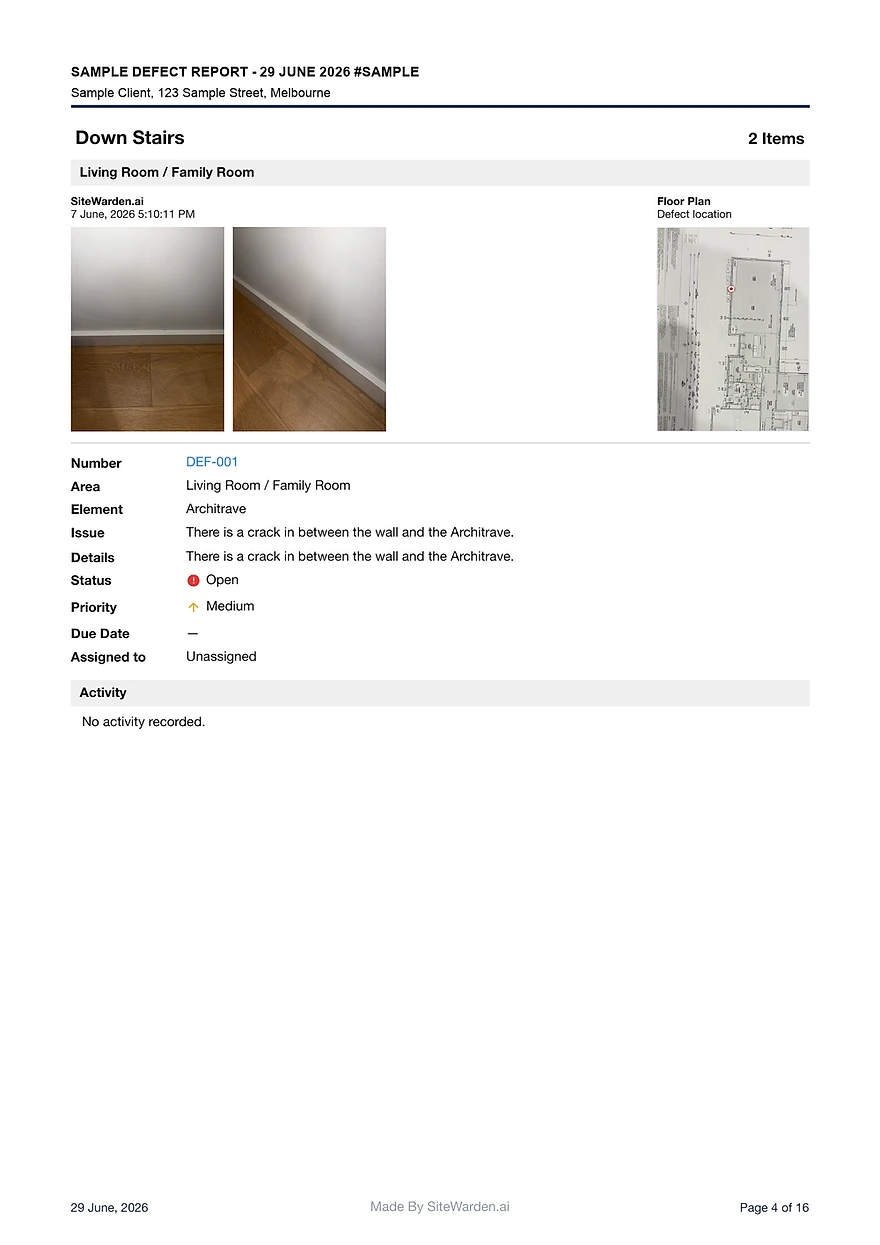
Generate report-ready records with defect IDs, photos, pins, location, trade, status, priority, and contractor.
Use sample report pages to show clients and stakeholders what the closeout record contains.
Reduce duplicate work between site capture, office review, and final report formatting.
Choose the records for the report
For a trade follow-up, select the items that need that trade’s attention. For a handover discussion, select the records the recipients need to review and check their current status. The PDF is a snapshot of those selected records; it does not itself accept a repair or establish practical completion.
- Include outstanding, in-progress or reviewed items as appropriate.
- Check locations, responsibility, status and evidence before sharing.
- Business includes custom company branding; check the current plan inclusions.
What goes into each report item
Every report item should make the defect easy to identify, locate, assign, and verify later.
- Stable defect ID and project list context.
- Photos, floor-plan pin, location, element, and issue notes.
- Trade, contractor, priority, status, and closeout notes.
Inspect the sample before sharing a report
The free Banksia Townhouse sample is an illustrative 16-page PDF with 10 outstanding items across three site lists. It shows photos, floor-plan context and QR links to shared evidence. The project and items are fictional; the sample demonstrates the report format.
- Ask a recipient to locate an item and understand what remains to be done.
- Check that each shared photo and note is appropriate for the recipient.
- Anyone holding a report’s shared evidence link can open it, so share deliberately.
Can a defect report include work that is still outstanding?
Yes. Select the records needed for the discussion, including outstanding, in-progress and reviewed items. The report shows their recorded status and does not approve the work.
What should construction defect report software include?
Consider the fields your recipients need: item IDs, locations, issue descriptions, evidence, responsibility, priority and status. SiteWarden generates PDFs from selected records; custom company branding is included in Business.
Does SiteWarden provide a sample defect report?
Yes. The sample report route shows cover, contents, defect detail, and branding examples for a generated construction defect report.
Bring your list.
We’ll walk you through it.
Unfinished work, defects and the details in between. See how the current app captures, organises and reports on them.