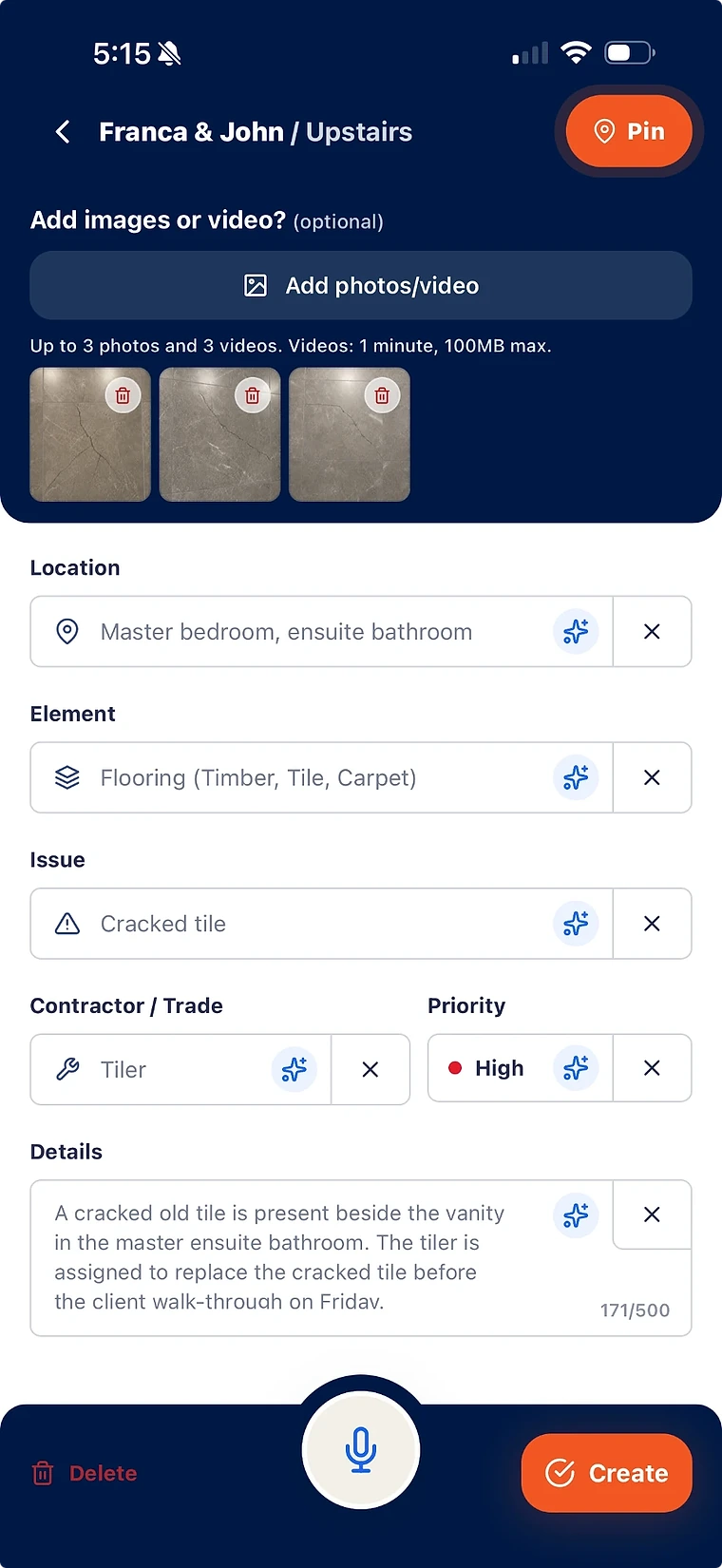
Walk the project with SiteWarden on your phone. Capture what needs finishing or fixing, add the location and trade, and leave with a clear record of each item.
A photo is more useful when the team knows where it was taken and what needs doing. Capture those details on the same record.
Add a location and floor-plan pin.
Record the issue or unfinished work in plain language.
Keep the trade, priority and supporting media attached.
02
Speak the details. Review before saving.
Voice and video capture help prepare the record while the site context is fresh. AI-assisted fields are suggestions for your team to check.
Use voice notes and video-to-defect fill.
Review location, element, issue, trade and priority.
Correct the details before saving or assigning the work.
03
Keep capturing when coverage drops.
The mobile app supports offline capture. Record the work on site and sync when a connection is available.
Capture on site without relying on a continuous connection.
Keep the record organised by project and list.
Use online features and the desktop workspace when connected.
BEFORE YOU GET STARTED
Good to know.
Can I use this for unfinished work as well as defects?
Yes. Use project lists for work still to finish and issues that need fixing. The current app labels the records as defects; each record can describe unfinished work, with the same photos, location, trade, priority and status.
Does SiteWarden provide safety audit forms?
SiteWarden focuses on the punch list items and defects found during site walks. It does not provide a general safety audit form builder or a replacement for your compliance system.
Does AI verify the work?
No. AI helps prepare record details from field capture. Your authorised project team reviews the information and remains responsible for checking and approving the work.
SEE SITEWARDEN IN ACTION
Walk through it with us.
Bring your current workflow. See the app, ask questions and find the right fit for your team.