Reporting

Your site records. A report ready to share.

Create a PDF from the items your team has captured and reviewed. Keep photos, locations and work details together for trade follow-up, progress discussions and handover.

THE CURRENT PRODUCT
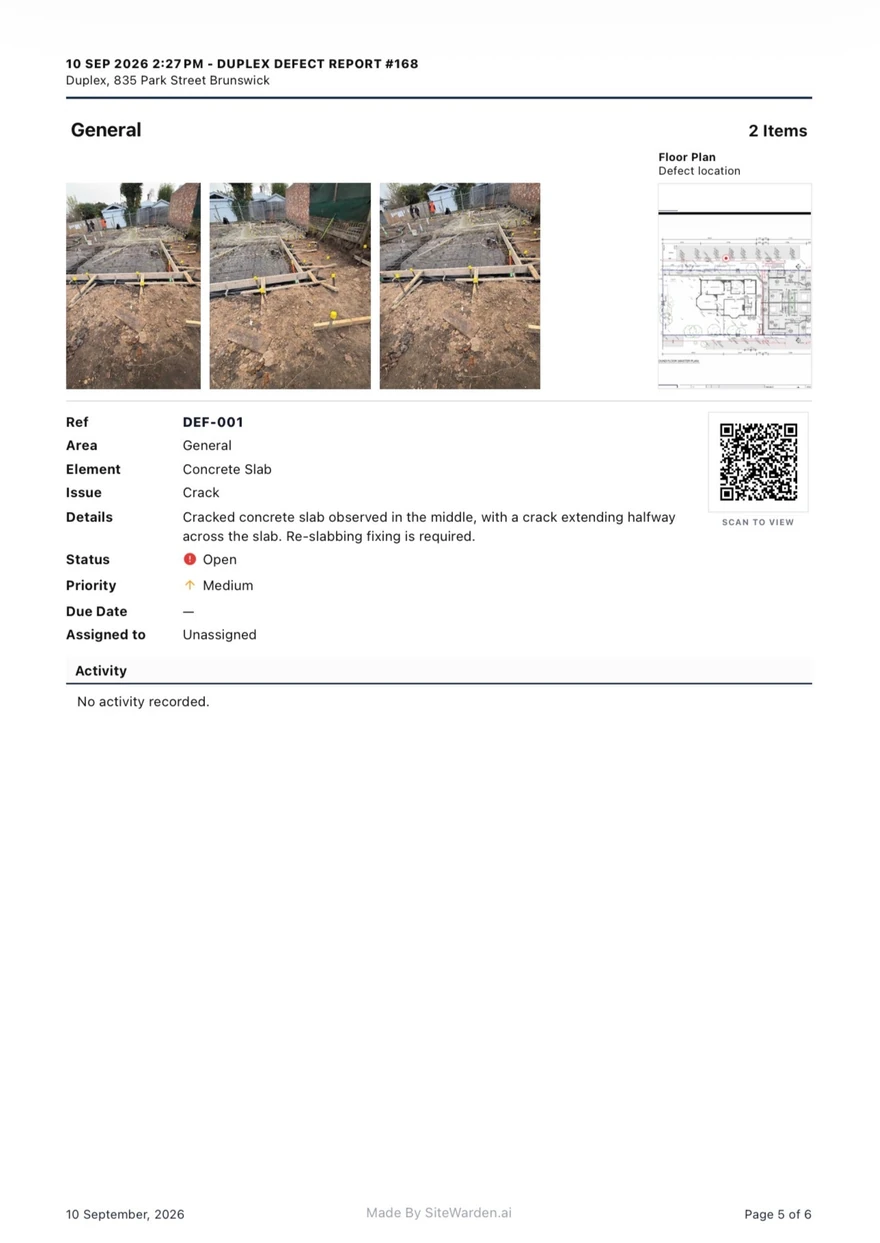
Actual SiteWarden PDF report page with item photos, floor-plan location, status and QR evidence links
Actual sample · SiteWarden PDF report
  1. 01Select the records
  2. 02Review the report scope
  3. 03Generate and share the PDF
01

Choose the right records for the conversation.

Build the report around the work you need to discuss. Select the records and use status, priority or contractor context to focus the scope.

  • Prepare a report for a site list or trade follow-up.
  • Include outstanding work as well as defects.
  • Review the selected records before sharing.
02

Keep evidence beside each item.

The PDF uses details already attached to the record. Your team does not need to match a separate folder of photos to a spreadsheet.

  • Show item IDs, photos, locations and notes.
  • Include trade, priority and status.
  • Use branded report output for client and team discussions.
03

Give recipients a closer look.

Report QR links open the shared item details, photos and videos without a SiteWarden account. Share the report only with the intended recipients.

  • Open the supporting evidence from the PDF.
  • Give recipients a read-only view of shared details.
  • Keep source-record editing and approval with your team.
BEFORE YOU GET STARTED

Good to know.

Which report format does SiteWarden support?

SiteWarden generates PDF reports with photos, locations and item details. Open the sample report on this page to see the current output.

Do report recipients need an account?

No. Recipients can read the PDF and follow its shared QR links to view item details, photos and videos without a SiteWarden account. Anyone holding the report can open those links, so share it with the intended recipients.

Can I see a real report before booking?

Yes. Open the free sample report from this page to see the cover, item details, photos and evidence links. No demo request is required.

SEE SITEWARDEN IN ACTION

Walk through it with us.

Bring your current workflow. See the app, ask questions and find the right fit for your team.

Book a Demo