Give every site finding a next step.
An inspection can raise unfinished work as well as defects. SiteWarden helps your team record the details, assign responsibility and keep follow-up visible in the same project lists.
Built for Australian builders, project managers, and quality teams comparing inspection tools for quality walks, pre-handover inspections, and practical completion.
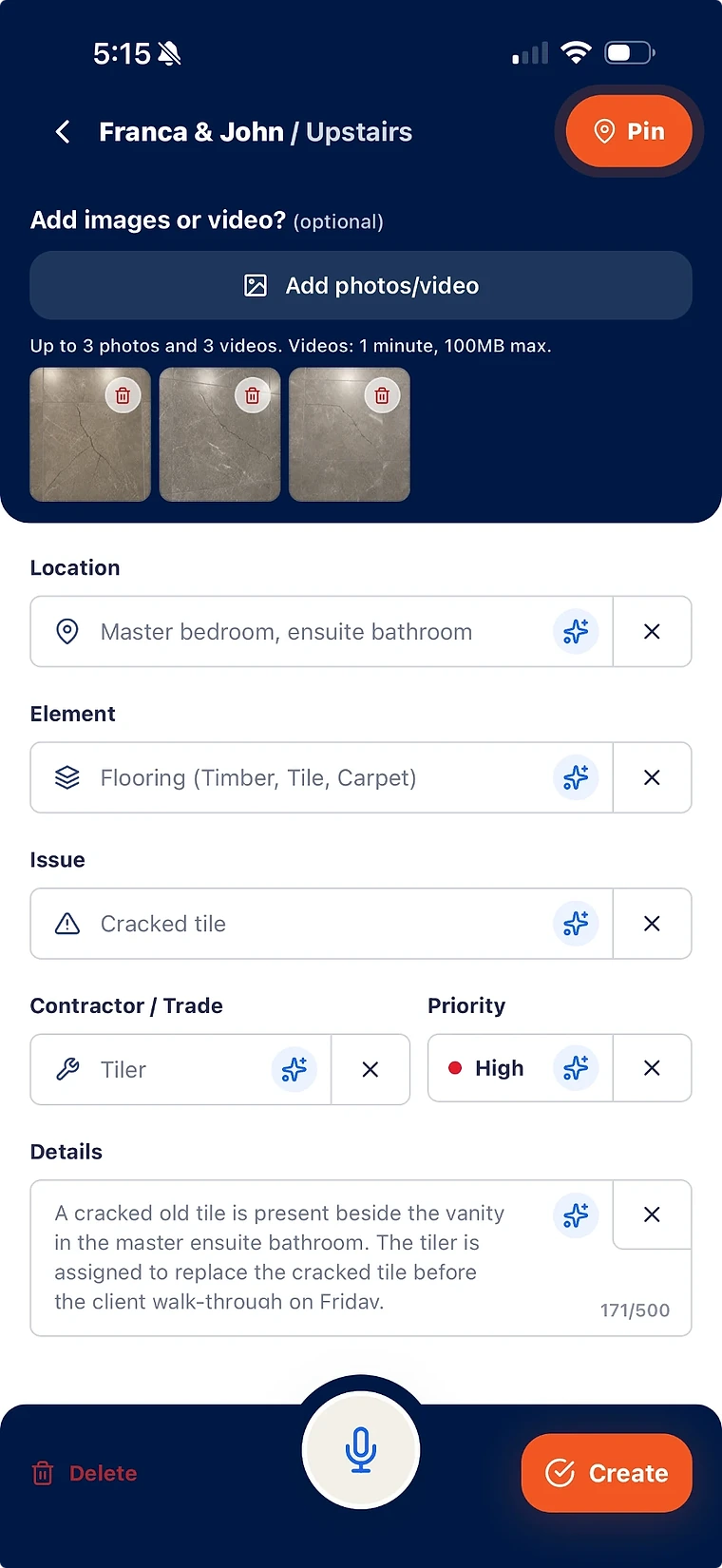
Structured findings instead of free-text notes no contractor can act on.
Ownership, priority, and evidence attached to every item raised on the walk.
Reports generated from live records, so the paper trail matches the site.
The inspections a construction team actually runs
Before comparing tools, it helps to separate the inspections that produce a compliance record from the ones that produce a list of work someone has to do.
- Trade and quality inspections during the build, producing rectification work.
- Pre-handover and practical completion inspections, recording outstanding work for follow-up.
- Client and owner walkthroughs, producing items the builder still has to close.
- Safety and compliance audits, which most teams keep in a separate purpose-built tool.
What to compare when choosing construction inspection software
Feature lists look similar across the category. The differences show up in the two weeks after the inspection, not during it.
- Can a finding be assigned to a contractor with enough context to act on it?
- Can contractors respond with evidence without seeing the entire project?
- Is there a verification step, or does a contractor marking work done close the item?
- Does the report come from the live records, or does someone rebuild it by hand?
- Does the record survive handover, when a liability claim arrives 18 months later?
Check how findings stay visible
When comparing tools, check what happens to unfinished work and defects after the form is completed. Each finding should remain easy to locate, assign and review.
- Check whether each finding has its own location, responsibility and current status.
- Compare how the team records completion evidence and reviews it.
- Check whether reports can show selected outstanding and reviewed items.
- Confirm how formal checks and approvals are managed when the project requires them.
How SiteWarden approaches inspections
SiteWarden helps teams turn site observations into punch list items and defect records, with photos, location, responsibility and status attached.
- AI can help prepare empty fields from voice or video; the team reviews the suggestions.
- Assignment, contractor proof, and verification are part of the same record.
- Practical completion and defect liability period work stay on one project history.
- Client-ready reports are generated, not reassembled the night before handover.
What is construction inspection software?
Construction inspection software is used to run site inspections on a phone or tablet instead of paper — capturing findings with photos and locations, and producing an inspection report. Tools in the category vary widely in what they do with the findings afterwards, which is usually the deciding factor for defect and quality inspections.
Does SiteWarden handle safety audits and compliance checklists?
SiteWarden helps with punch list items and defects found during site walks. Safety audits and compliance checklists need an appropriate dedicated tool.
Do we need separate software for practical completion inspections?
SiteWarden can keep punch list and defect findings from different site walks on the same project. Your project may also require separate inspection forms, testing records or formal approvals; use the systems that support those requirements.
Does it work without signal on site?
The mobile app supports offline capture and syncs when a connection is available. Desktop and online services need connectivity. Check the device and project setup before a walk with poor coverage.
Bring your list.
We’ll walk you through it.
Unfinished work, defects and the details in between. See how the current app captures, organises and reports on them.