Give each item a responsible trade.
Keep the work description, location, photos and priority with each assignment. Use the same workflow for unfinished work and defect repairs, with review controlled by your project team.
For builders, PMs, supervisors, quality teams, and admins who need clearer contractor rectification before practical completion and handover.
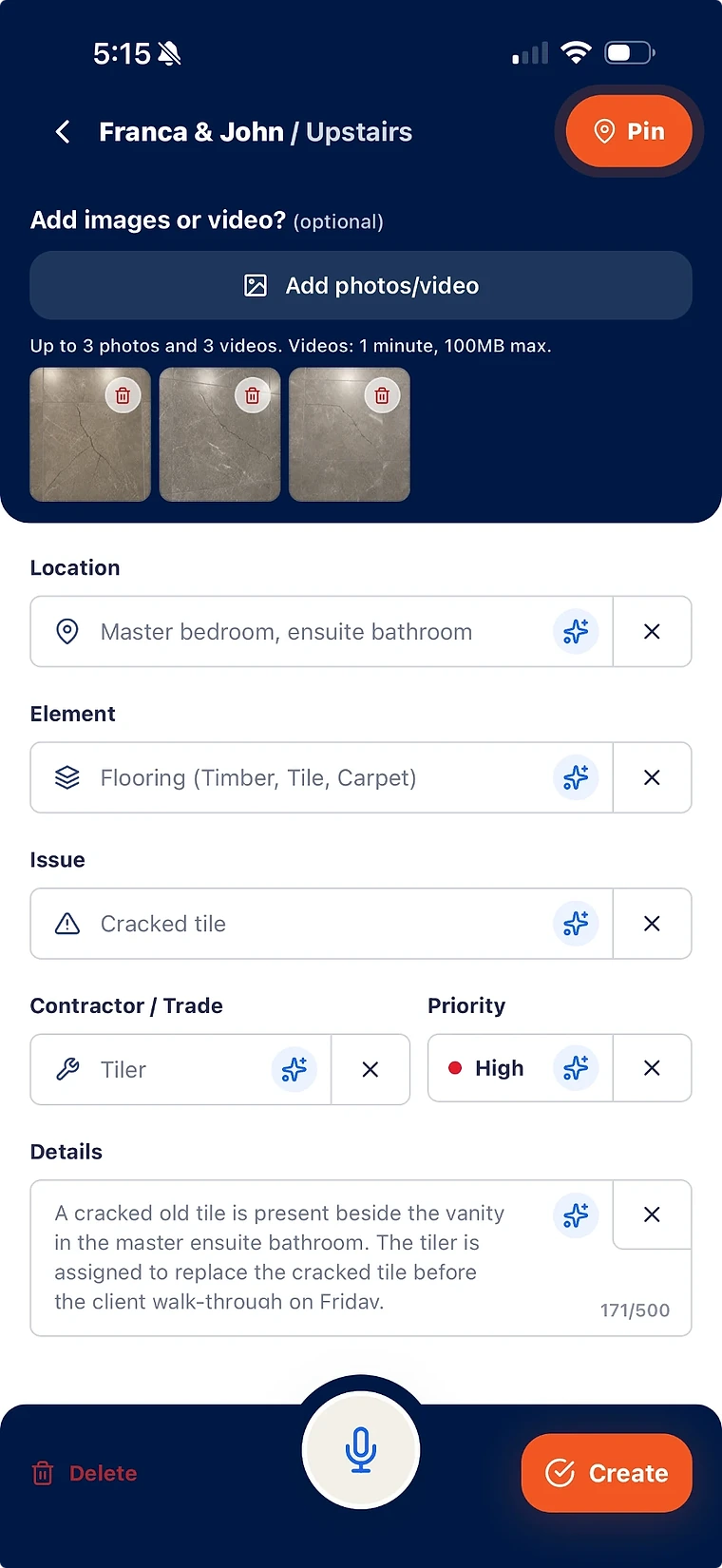
Assign each defect with location, trade, priority, photos, notes, and contractor ownership.
Keep contractor proof tied to the original defect record for later review.
Review completion evidence before closing the defect. Selected open and in-progress items can also be reported.
Keep completion evidence with the assignment
Contractors can view the work assigned to them and add completion evidence or activity updates to that item. The original issue information stays under the project team’s control.
- Contractors see the issue, location, trade context, priority, and evidence.
- Builders keep the core defect record controlled.
- Proof uploads and status updates stay attached to the item.
Check the handoff before assigning work
For example, a supervisor records a damaged door finish with its location and photos, confirms which contractor should follow up, and sends that item for action. The contractor can add an update or evidence; an authorised team member reviews the result against the original finding.
- Check the issue, location, photos and intended contractor before sending.
- Contractors can view their assigned defect and add activity or evidence; source defect details stay under the project team’s control.
- Sending a defect grants the contractor lasting read access to that defect and the related information needed for the work, even if the assignment later changes.
Make closeout accountable
Use the project list to review what is open, what evidence has been supplied and what still needs inspection.
- Ownership is visible by contractor, trade, status, and priority.
- Inspector review protects the final handover record.
- Reports can include the same evidence used during rectification.
What does contractor defect assignment software do?
It helps builders assign defects to contractors with repair context, photos, status, priority, ownership, proof uploads, and verification history.
Can contractors update defects without seeing the whole project?
Contractors can view their assigned defects and add activity or evidence without access to the whole project workspace. Sending an item grants lasting read access to that defect and the minimum related information needed for the work, including after later assignment changes.
Bring your list.
We’ll walk you through it.
Unfinished work, defects and the details in between. See how the current app captures, organises and reports on them.