One list for what needs finishing and fixing.
Keep defects and unfinished work connected to their photos, locations, trades and status. SiteWarden helps your team see what is outstanding and prepare a report from the same records.
For teams replacing spreadsheet defect lists, photo folders, message threads, and manual handover report assembly.
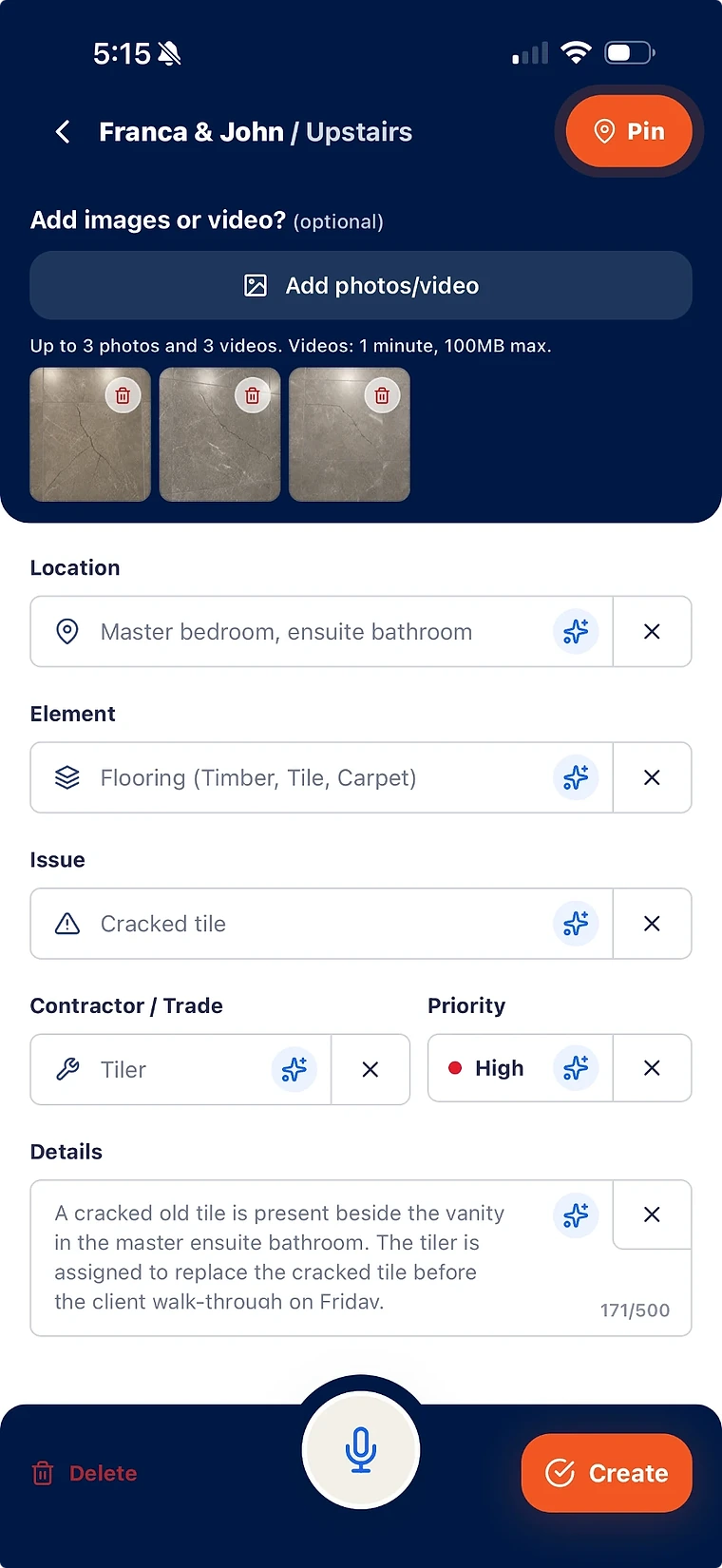
Create structured defect records from site capture instead of free-form notes.
Track lists by project area, status, trade, contractor, priority, and report readiness.
Move from defect list to client-ready report without rebuilding the evidence trail.
Why spreadsheets break down
Spreadsheets can list defects, but they do not naturally carry photos, floor-plan pins, owner context, and report-ready metadata together.
- Photos get separated from rows and need to be renamed or matched later.
- Status updates depend on manual admin after site walks.
- Client reports require a second round of formatting and checking.
What a controlled defect list needs
A practical completion defect list needs enough structure to make responsibility clear and enough evidence to support the handover record.
- Location, element, issue, trade, contractor, priority, and status.
- Photo evidence and floor-plan pins connected to the defect ID.
- A clean path from site capture to report output.
What is defect list software?
Defect list software helps construction teams capture, organise, assign, track, and report outstanding defects before handover or practical completion.
Can a defect list become a report?
Yes. In SiteWarden, selected defect records can be used for branded PDF-style report output with the evidence and metadata already attached.
Bring your list.
We’ll walk you through it.
Unfinished work, defects and the details in between. See how the current app captures, organises and reports on them.