Know what is open. Know who owns it.
Track defects and punch list items by project, location, trade, responsibility and status. Keep the photos and work details with each item so the next conversation starts with context.
Built for builders, project managers, and site teams tracking defects across active projects, practical completion, and the defect liability period.
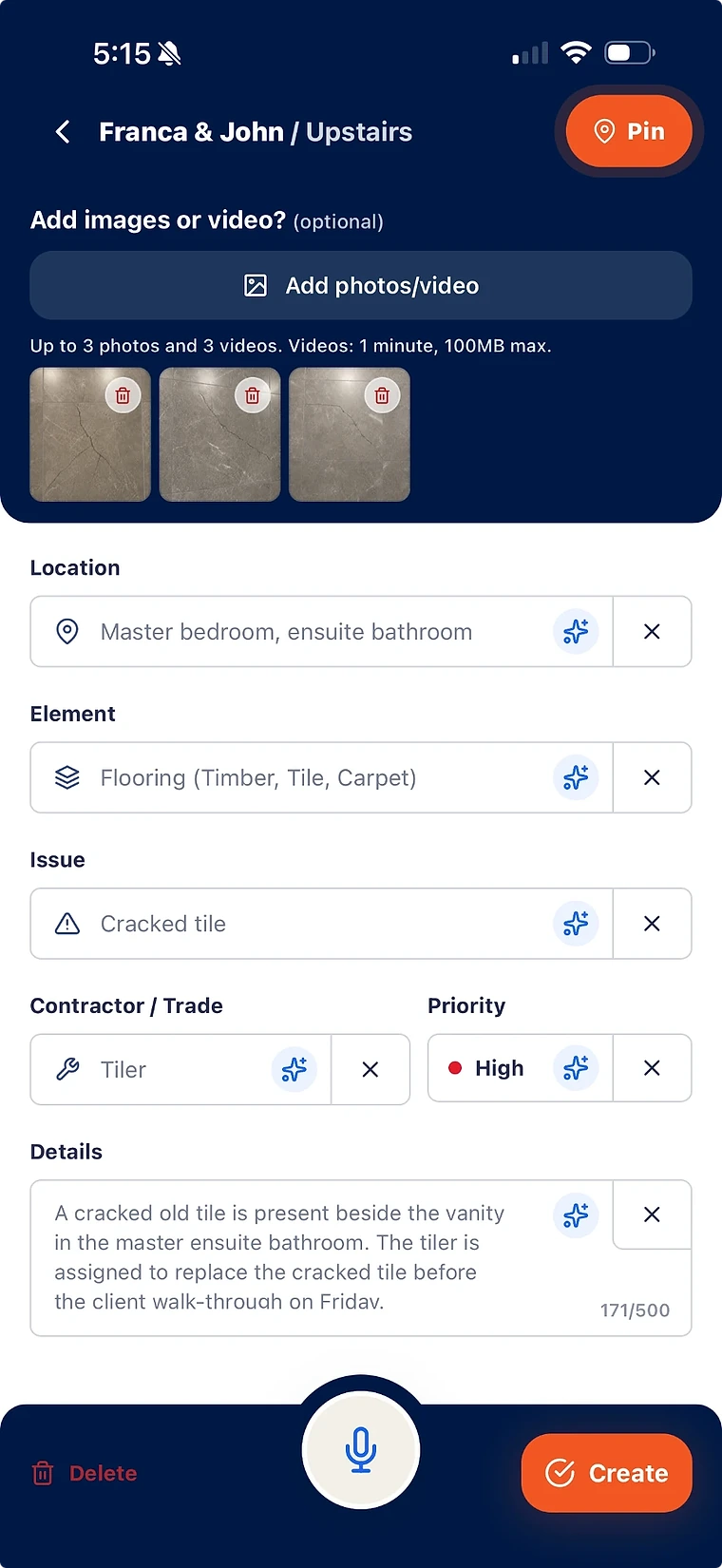
One structured record per defect: photos, location, element, issue, trade, priority, status.
Live visibility by project, list, contractor, trade, and status.
Verified closure and client-ready reports from the same tracked records.
What defect tracking actually requires
Tracking is not a spreadsheet column. It is knowing, at any moment, what is open, who owns it, what evidence exists, and what is blocking closure.
- Structured capture at the source, so every record is complete enough to act on.
- Ownership attached to every defect — a trade and a contractor, not a vague note.
- Status that changes through evidence and verification, not manual bookkeeping.
- History on every record: capture, assignment, proof, verification, reporting.
Track by the dimensions that matter on site
The useful questions are always specific: what is open on level three, what is outstanding for the tiler, what is blocking the client walk on Friday.
- By project and list, as defects move from active build to practical completion.
- By location and floor-plan pin, for walk preparation and re-inspection.
- By contractor and trade, for accountability conversations with numbers behind them.
- By priority and status, for deciding what happens this week.
Tracking that survives handover
Defect tracking does not end at practical completion. Liability period items land on the same project, with the same structure and the same evidence trail.
- Post-handover defects are raised against the existing project record.
- The original closeout history is right there when items are disputed or reopened.
- Reports show the tracked loop end to end: found, assigned, fixed, verified.
What is defect tracking software in construction?
It is software that keeps every construction defect as a live, structured record — what it is, where it is, who owns it, what evidence exists, and whether the fix has been verified — from first capture to closure.
How is this different from tracking defects in Excel?
A spreadsheet tracks what someone remembers to type. Defect tracking software keeps the photos, assignment history, contractor proof, and verification attached to each record, and the status reflects verified reality instead of manual updates.
Can I track defects during the defect liability period?
Yes. Items raised after handover are tracked on the same project with the same structure, so the original closeout evidence and the new rectification work stay connected.
Can I use SiteWarden for punch lists and defects?
Yes. Use project lists to record work that needs finishing or fixing, with photos, locations, trades, priorities and statuses. The current app labels these records as defects; the same record can describe unfinished work or an issue that needs repair.
How do contractors take part?
Your team assigns responsibility and controls review and approval. Contractor replies through WhatsApp are forthcoming and are not included in the current trial. In that planned workflow, contractors will send photos, voice notes and progress updates without a SiteWarden account; the builder will still approve the work.
Bring your list.
We’ll walk you through it.
Unfinished work, defects and the details in between. See how the current app captures, organises and reports on them.